RewardsPopUpWidget
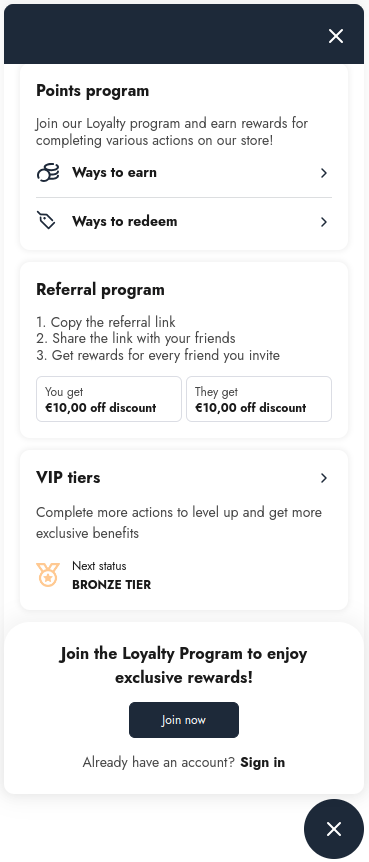
This widget displays Rewards program information to customers. It provides an interactive interface for users to earn and redeem points for rewards, apply rewards, view active unused rewards, referral program details and link, and current VIP tier.
Unlike the RewardsPopUpRootWidget, which is embedded directly into the page, this widget appears as a floating launcher button that expands into a pop-up when clicked, ensuring quick and easy access to reward details from any page.
Widget Example
Closed

Opened
Code
The widget button is automatically positioned in the gw-widget-placeholder-BL-wrapper or gw-widget-placeholder-BR-wrapper based on the branding settings configured in the Growave application admin panel. You do not need to manually set the placeholder, as the widget position can only be configured through the admin settings.
If these blocks are not present on your page, add them to ensure proper widget placement:
For bottom left positioning:
<div class="gw-widget-placeholder-BL-wrapper" style="display: block">
    <div class="gw-widget-placeholder-BL"></div>
</div>
For bottom right positioning:
<div class="gw-widget-placeholder-BR-wrapper" style="display: block">
    <div class="gw-widget-placeholder-BR"></div>
</div>
The open state of the widget renders directly to the body element and does not require any placeholder.