RewardsVipTiersPageWidget
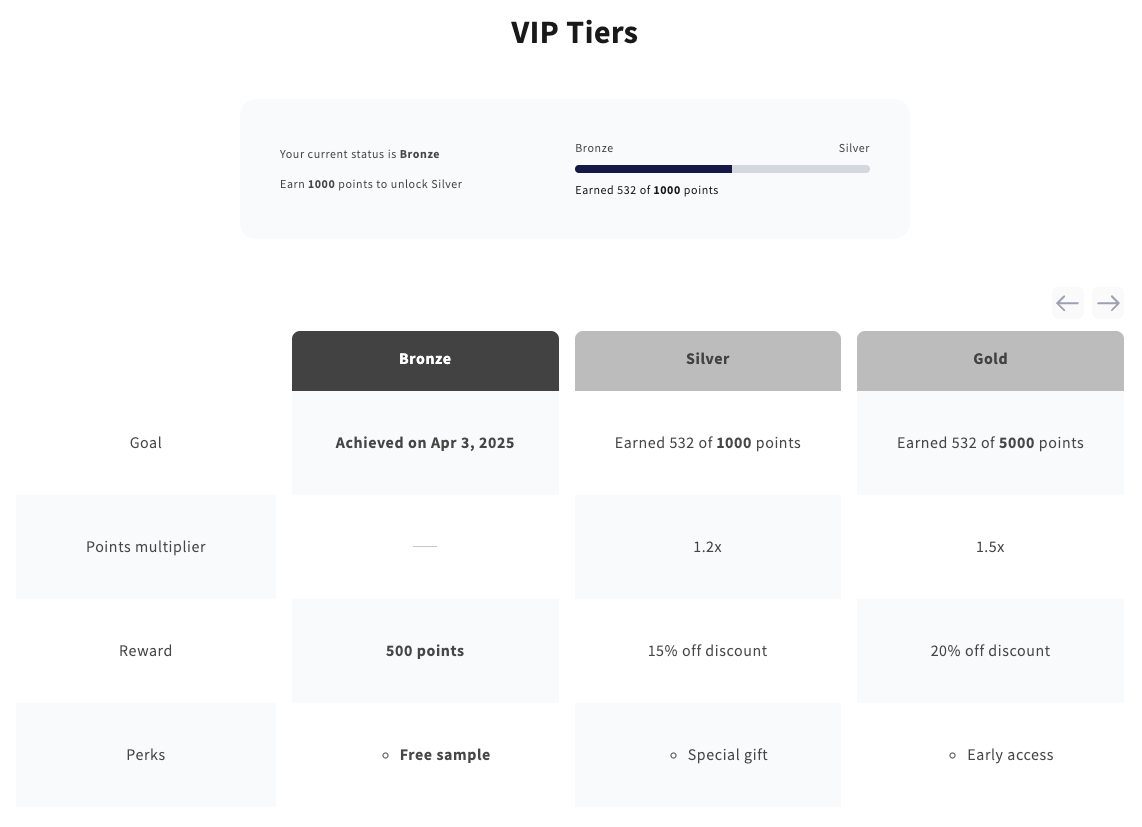
This widget allows customers to track their progress toward different VIP tiers. It provides an interactive display showing their current tier, the date it was achieved, accumulated points, and the threshold for the next tier. Customers can also view tier-specific benefits, such as points multipliers, exclusive rewards, and special perks.
Activating the widget
To enable this widget, go to Growave admin -> Rewards -> Settings. In the "VIP Tiers program status" section, click the "Enable" button next to the "Program is currently" block. Once enabled, this block will display "Program is currently Enabled".
Styling
- The background color of the current tier card uses the Theme Primary Color, with the text color always set to white.
- The background color of other tier cards applies the Theme Primary Color with transparency, while the text color adapts from the Theme Primary Color.
Widget Example
Code
<div
    class="gw-rd-vip-tiers-page-widget-placeholder"
    data-gw-widget-shadow-root-enabled="true"
    style="display: block"
></div>
Attributes
Attributes
data-gw-widget-shadow-root-enabled?optional- Enables or disables the use of the Shadow DOM for the widget. Set to "true" to encapsulate the widget's styles and structure within the Shadow DOM, preventing style conflicts with the rest of the page.