RewardsWaysToSpendPageWidget
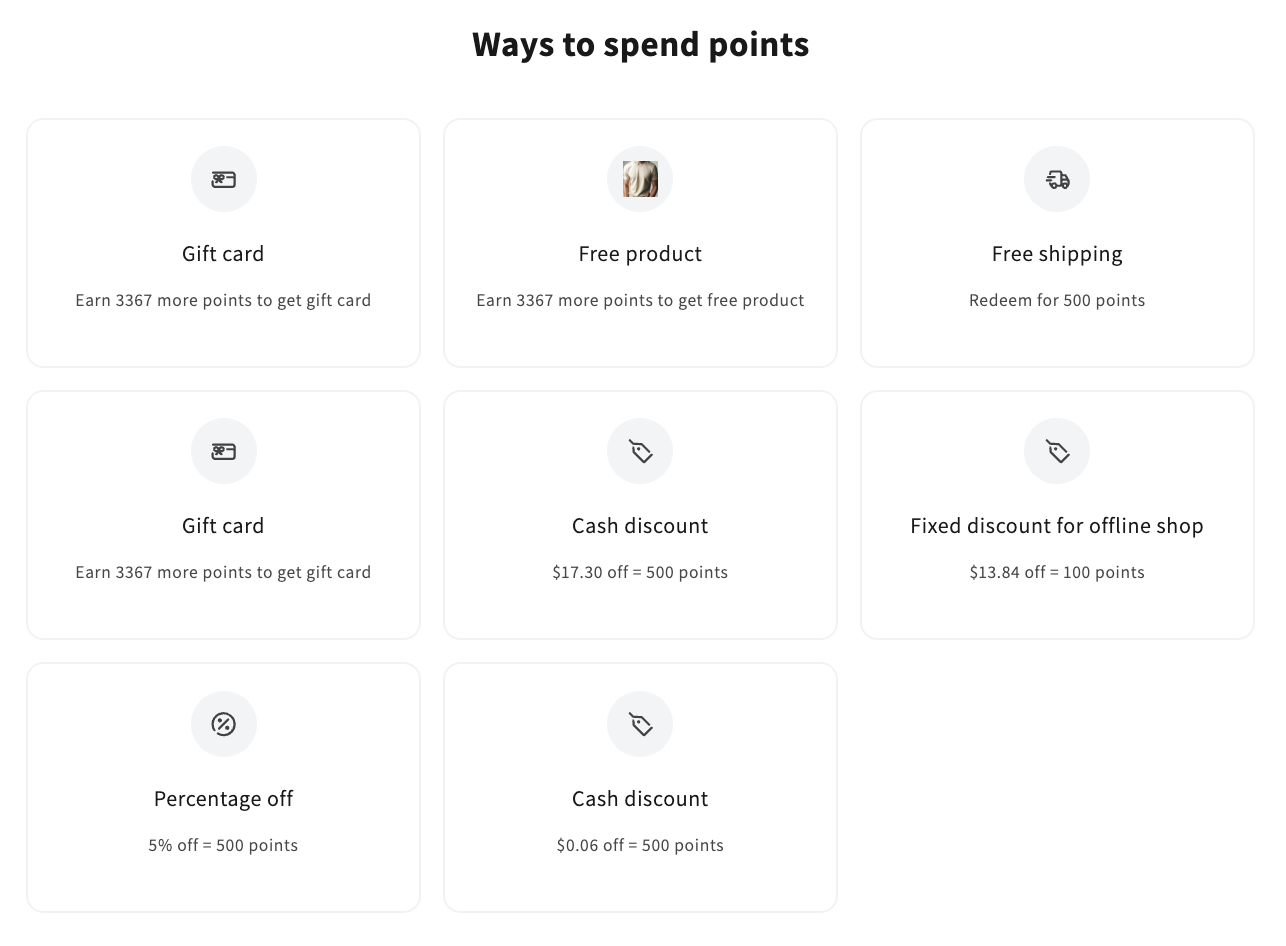
This widget provides a clear and user-friendly interface for redeeming earned points directly from the storefront. It displays available reward options, such as discounts, free shipping, free products, or gift cards, along with the points required to redeem them. Customers receive unique discount codes for their redemptions, and if additional points are needed to unlock a reward, this information is clearly indicated.
Activating the widget
To enable this widget, go to Growave admin -> Rewards -> Settings. In the "Points program status" section, click the "Enable" button next to the "Program is currently" block. Once enabled, this block will display "Program is currently Enabled".
Widget Example
Code
<div
    class="gw-rd-ways-to-spend-page-widget-placeholder"
    data-gw-widget-shadow-root-enabled="true"
    data-gw-show-points-balance="true"
    data-gw-redirect-to-cart-after-redeem="true"
    style="display: block"
></div>
Attributes
Attributes
data-gw-widget-shadow-root-enabled?optional- Enables or disables the use of the Shadow DOM for the widget. Set to "true" to encapsulate the widget's styles and structure within the Shadow DOM, preventing style conflicts with the rest of the page.
data-gw-show-points-balance?optional- Indicates whether to display the customer's points balance at the top of the widget. Set to "true" to show the balance or "false" to hide it. The default value is "false" for the RewardsWaysToSpendPageWidget.
data-gw-redirect-to-cart-after-redeem?optional- Determines whether the customer is automatically redirected to the cart page after redeeming a free product reward. Set to "true" to enable automatic redirection.