RewardsVipTiersCardWidget
This widget visually represents a store's VIP program, displaying the different tiers and their associated benefits. Each tier highlights key rewards, such as points multipliers, special benefits, and exclusive perks. Customers can easily see the advantages of progressing to higher tiers, encouraging engagement with the loyalty program.
Activating the widget
To enable this widget, go to Growave admin -> Rewards -> Settings. In the "VIP Tiers program status" section, click the "Enable" button next to the "Program is currently" block. Once enabled, this block will display "Program is currently Enabled".
Widget Example
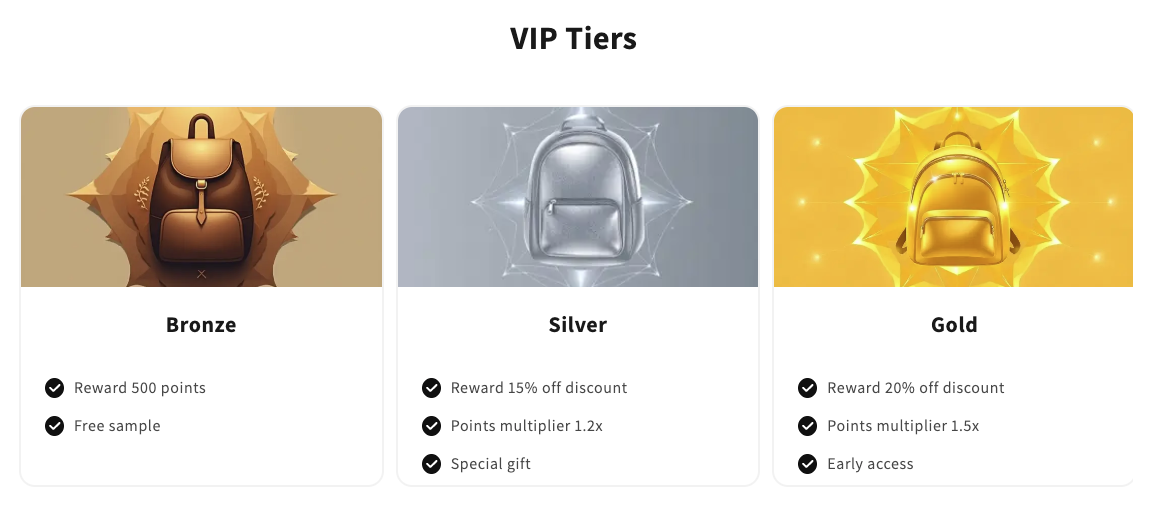
Code
<div
    class="gw-rd-vip-tiers-card-widget-placeholder"
    data-gw-widget-shadow-root-enabled="true"
    style="display: block"
></div>
Attributes
Attributes
data-gw-widget-shadow-root-enabled?optional- Enables or disables the use of the Shadow DOM for the widget. Set to "true" to encapsulate the widget's styles and structure within the Shadow DOM, preventing style conflicts with the rest of the page.